
Richmond County Civil Docket Searches
Civil cases in Richmond run through the North Carolina eCourts Portal. This is the Tyler Technologies system serving Portal for Enterprise Justice counties. Smart Search works with either a record number or a name. Clicking the returned record number opens the Case Summary. That is the Portal's name for the Register of Actions. That order matters. A caption by itself will not tell you the court division. It will not show the current status or the next hearing.
A precise number is the best starting point when you have one. Enterprise Justice numbers follow a published pattern. The pattern is a two-digit year, case-type letters, a six-digit sequence, and a county code. Richmond's county suffix is 760. If you must search by name, narrow the results. Use Richmond location, case type, case status, and a filing-date range. The Portal caps any result set at 200. So turn to Advanced Filtering Options when a broad name search floods the screen. Know that a public result hides the month and day of any date-of-birth information.
- Open Smart Search in the North Carolina eCourts Portal.
- Enter a record number or party or business name.
- Narrow to Richmond and the applicable civil case type if needed.
- Open the matching Case Summary and confirm location and assignment.
- Read events, hearings, and disposition in date order.
- Ask the Richmond County Clerk of Superior Court for a certified copy or inaccessible file.
Richmond County Civil Docket Smart Search
Smart Search is a case-history tool, plain and simple. It cannot be used to book your own civil setting. What the public result can display includes case information, assignment information, participants, causes of action, Case Events, hearings, dispositions, and financial information when it applies. Stick to public document links. Older paper records are not guaranteed to appear as images. For a live chronology, the public Portal route works well; certification and a complete unsealed file stay with the clerk.
| Search field | Richmond civil use |
|---|---|
| Record Number or Name | Basic input for a civil case number or a last-first party name. |
| Business Name | Advanced search type for a business party where appropriate. |
| Location | Use Richmond to narrow statewide results. |
| Case Type | Use the applicable civil-actions or nonconfidential special-proceedings filter. |
| Filing Date range | Optional advanced control that narrows a broad result set. |
There is also an in-person route. The clerk counter and public computers sit at the Judicial Center, 105 W. Franklin St., Rockingham. The main line is (910) 419-7400. Call before mailing any case-copy request. The clerk posts no Richmond copy form and no fixed response time. An AOC public-record request covers only existing Judicial Branch administrative records. Case files, docket questions, and certifications belong to the Richmond Clerk.
Civil Dockets: What They Show
A civil Case Summary tells you a lot at a glance. It identifies the record number, the court or assignment, and participants and attorneys where applicable. It also lists causes of action, case events, hearings, dispositions, and any financial information. The Register of Actions is the timeline. It does not promise that every filing image is public or online. Read the current assignment and the event sequence first. A docket label alone is not a full account of what a party filed or what an order actually says.
| Record number | The Enterprise Justice identifier, often built from year, case-type letters, sequence, and the -760 Richmond county code. |
|---|---|
| Case information | Location, status, filing attributes, and other header information. |
| Assignment | Court, judicial officer, courtroom, or organizational assignment where shown. |
| Cause of action | The stated civil, family, probate, or special-proceeding category where applicable. |
| Case Events | Chronological filings, service, motions, notices, orders, and other procedural entries. |
| Disposition | The precise outcome label, including a judgment, dismissal, transfer, or appeal activity. |
Use the hearing section to find a setting and the event list to learn why it was scheduled. An online display is not certification. For an official judgment or order, the clerk can point you to the right record route.
Richmond County Civil Docket Division Line
Richmond runs a unified clerk model. So the court division matters more than any separate records office. North Carolina General Statute 7A-243 draws the main line. Ordinary civil actions at $25,000 or less sit in District Court. Actions over $25,000 sit in Superior Court, subject to statutory exceptions. Small claims start before magistrates inside the District Court system. The Richmond Clerk keeps the one integrated local record. Because of that, a Portal search should begin with the case location, case type, and assignment. Do not guess where the civil file belongs.
N.C.G.S. 7A-243 is the official source. It spells out the ordinary civil split between District and Superior Court.
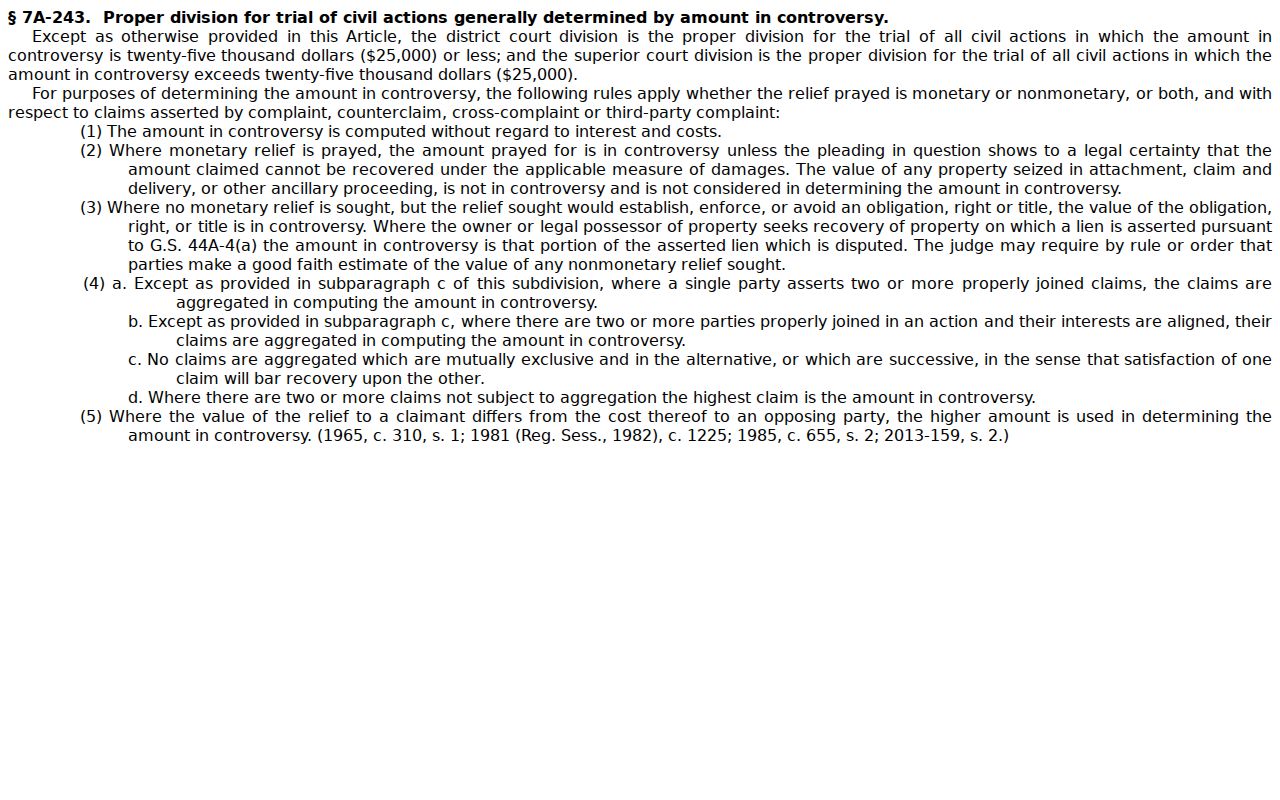
That allocation explains a common confusion. Two Richmond civil cases with nearly identical captions can carry different trial-division assignments while the same clerk system keeps both records.
What Cases Fill the Civil Docket
The Portal can display civil actions and nonconfidential special proceedings. But a case's real description comes from its cause of action and docket history. Richmond's Superior Civil Calendar Request offers locally useful categories. Those are default, contract, negligence, land dispute, caveat, and other. Civil matters also move through District Court. A magistrate small-claims route and the clerk's probate jurisdiction handle others. Those are court-division differences. They are not separate city systems.
- Contract and default matters listed on the Richmond Superior civil request.
- Negligence and land-dispute matters listed on that request.
- Caveat matters and other special proceeding categories where applicable.
- Small claims that begin with magistrates in the District Court system.
- Estate and probate proceedings administered through the Clerk of Superior Court.
North Carolina small-claims guidance explains the magistrate and District Court route.
Look past the city name and the loose caption. The case type and assignment together give the sound basis for understanding a Richmond civil docket.
Richmond County Civil Docket Calendar Requests
Scheduling a civil hearing in Richmond County starts with paperwork, not a click. The Richmond Superior Civil Calendar Request asks for the case number and the parties. It asks for the term beginning too. The setting can be jury, nonjury, or a motion. The form also wants the nature of the case. And it wants a length estimate. Motion filings carry an extra piece: an attorney readiness certification. The form routes copies to the clerk. It also goes to the court manager or court assistant. Opposing or self-represented parties get copies as well. So when a docket entry lists a hearing, remember it came out of this local scheduling process.
Richmond Superior Civil Calendar Request is the official form itself. The PDF shows every field plus the routing rules. The original goes to the clerk. A separate copy goes to calendar management.
The clerk's probate role in the unified Richmond system comes straight from N.C.G.S. 7A-241, and that statute page spells out the jurisdiction in full.
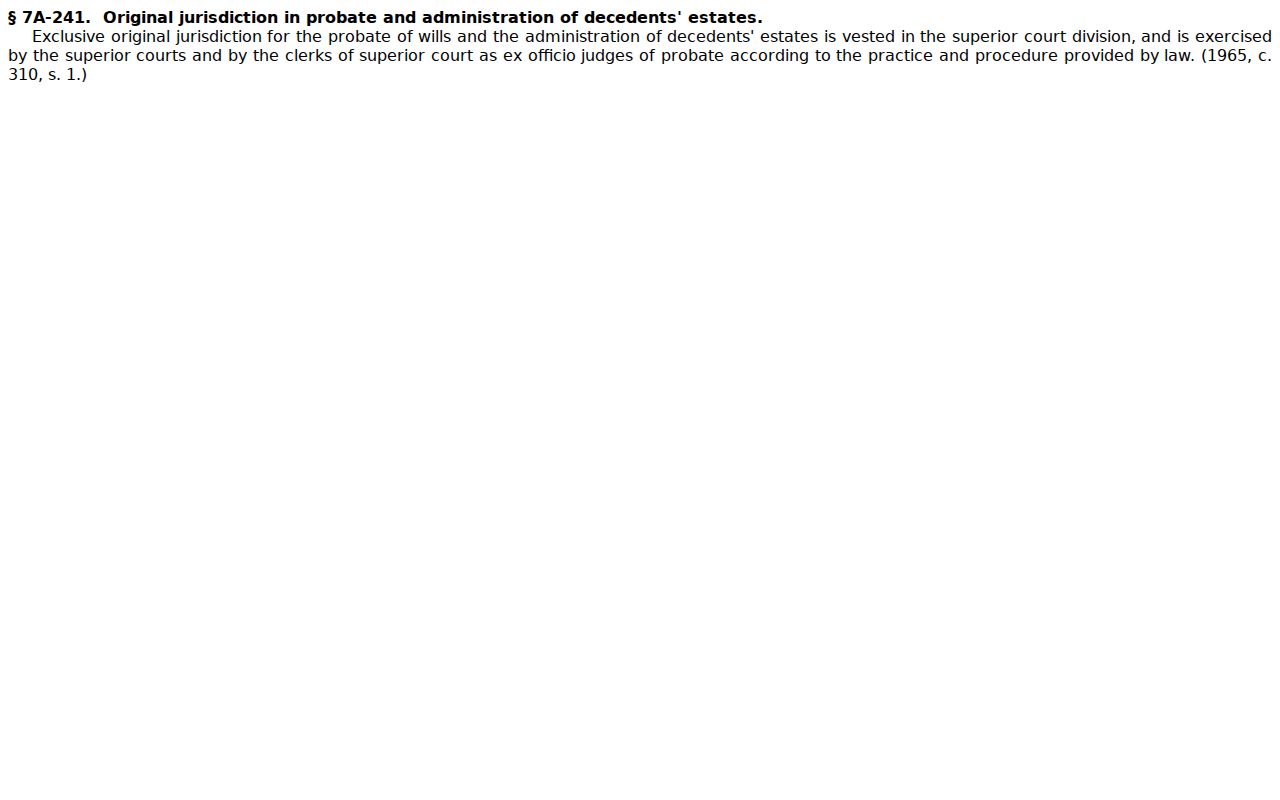
Probate runs through the clerk under North Carolina law. It moves on its own track, so don't mistake it for a standard Superior civil calendar setting in Richmond County.
Hearings on the Civil Docket
A Richmond civil hearing can show up in two spots. The Case Summary carries it. Portal Search Hearings lists it too. The county's official civil calendar lays out the schedule view. For a pending setting, the live hearing record is the better confirmation. The calendar mainly helps you scan the session list. One caution: a motion hearing on a docket is a date-and-time-certain event. It is not a trial date. And it doesn't mean the whole case wraps up that day.
Search Hearings asks for a Richmond location. It also wants hearing type, search type, search criteria, and a date range. The Richmond County Court Schedule walks through those fields. It also explains how to compare local calendar results. Spot a setting that looks off, or one that's close? Call the clerk. For Superior-session or transcript questions, use the Superior judges' office and court reporter line at (910) 419-7686. That number is a separate channel.
Richmond County Civil Docket Motion Dates
Civil calendars here don't set themselves. Under the District 21 civil case-management plan, the Superior Court Trial Court Coordinator sets them for Anson, Richmond, and Scotland, working under the Senior Resident Superior Court Judge's supervision. Need a motion date? You get it from the court manager or coordinator before filing the notice. The notice then carries the date and time certain. The process is more structured than a Portal hearing display alone would suggest.
Printed Monday-session calendars add another layer. The local plan says a copy of the notice must go out by mail, hand delivery, fax, or email no later than 5:00 p.m. on the preceding Tuesday. Ignore a Notice of Rescheduling and the Trial Court Coordinator may set the matter automatically. These rules govern local Superior civil practice. They don't promise every case moves on the same clock.
Richmond County Civil Docket Small Claims
Small claims are civil matters. But they start with magistrates in the District Court system, not on some separate Richmond city-court site. An appeal moves up to District Court. Estate and probate matters travel yet another route, one supervised by the clerk under G.S. 7A-241. The unified clerk model means a reader can work the same Richmond Portal and clerk channels. Then they can tell matters apart by type, assignment, and event history. N.C.G.S. 7A-241 spells out the clerk's probate jurisdiction. One clerk maintains the local case files. So don't assume different civil pathways mean different county record custodians.
Who Can See Civil Dockets
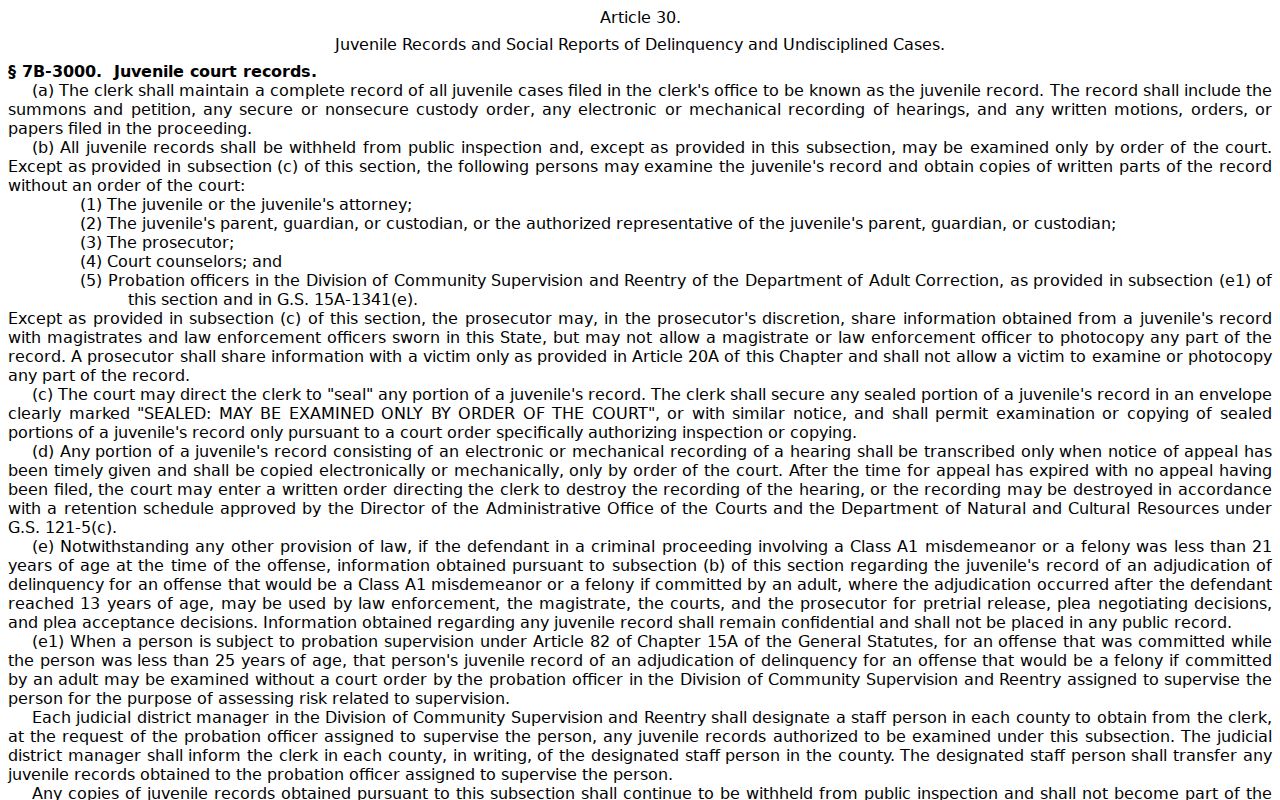
Public access starts with the clerk-maintained court record and whatever nonconfidential information the Portal offers. It doesn't reach every case, document, or personal detail. Sealed and confidential material, sensitive documents, and restricted case types stay outside ordinary public access. Juvenile records are confidential unless a statute authorizes otherwise. The Portal also shields protected domestic-violence information. A missing online document doesn't prove the case file has no public component.
Richmond civil access rules:
N.C.G.S. 7A-109 makes the clerk responsible for court records and indexes, subject to statutory exceptions.
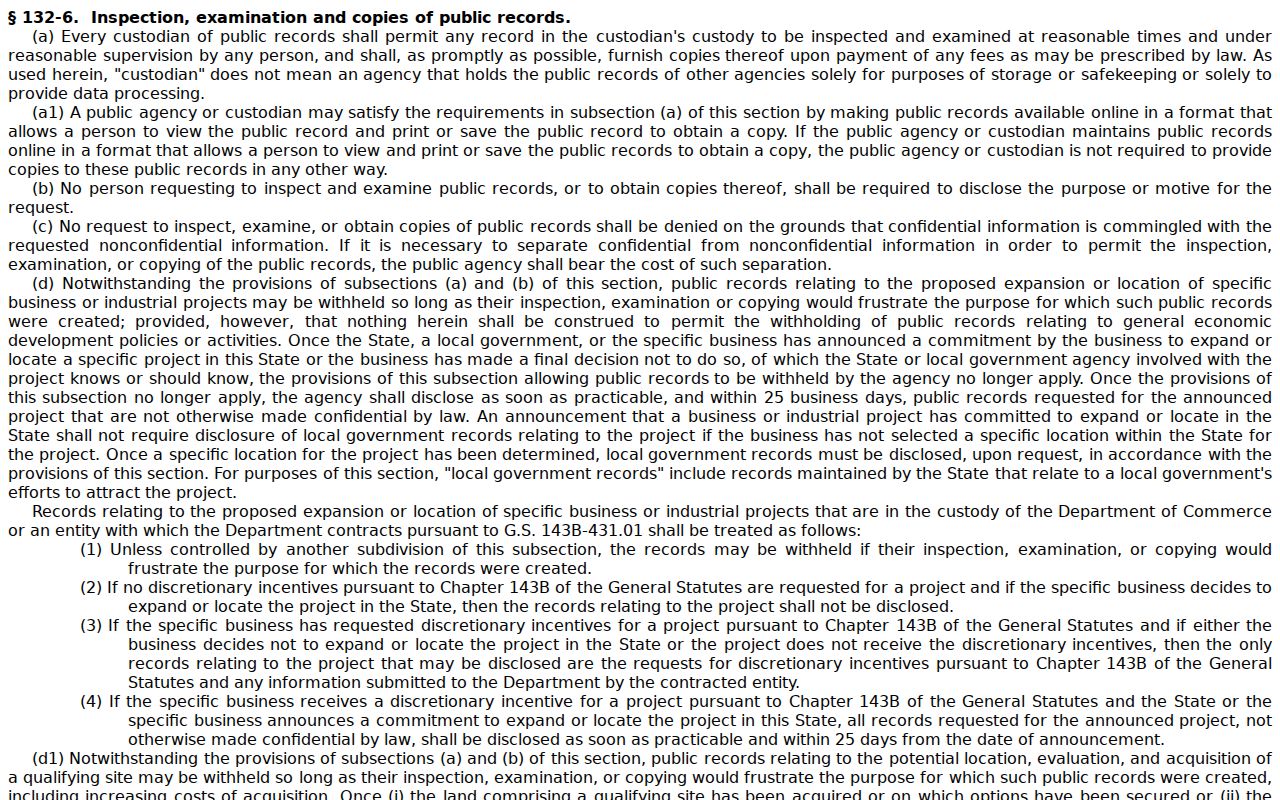
N.C.G.S. 132-6 provides inspection and copy access to public records under reasonable procedures.
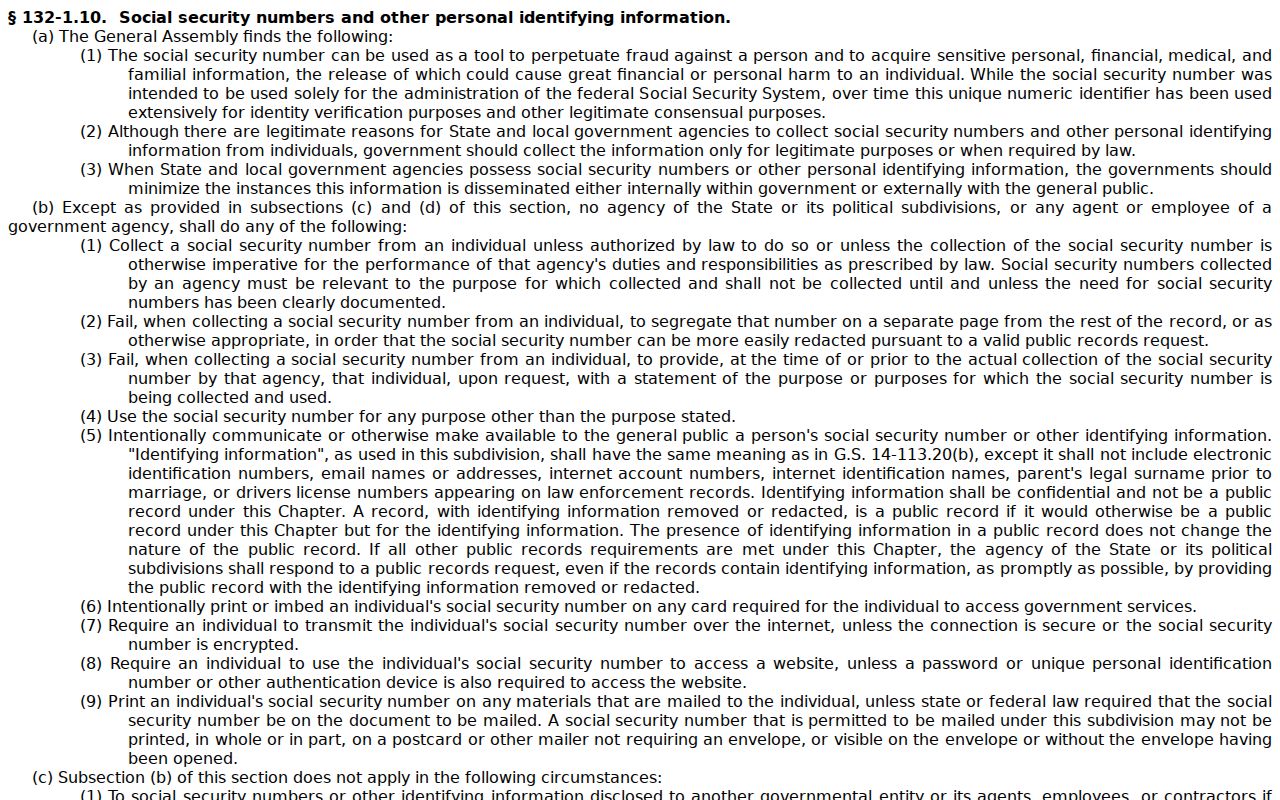
N.C.G.S. 132-1.10 provides a process for removing protected identifiers from online court images.
The public-record inspection statute is the official source for the copy and inspection rule.
A protected-identifier request touches online court images only. It never erases the case from the legal record. The protected-identifier statute draws that line.
For juvenile confidentiality, the relevant rule is N.C.G.S. 7B-3000.
Access restricted, or need an official copy? The Richmond County Clerk of Superior Court is the correct local contact.